

Detailed Review of Unraid OS: The “King” of Storage and Homelabs for Tech Enthusiasts
When it comes to building a home server or a Network-Attached Storage (NAS) system, most of us immediately think of TrueNAS, OpenMediaVault, or commercial NAS solutions from Synology and QNAP. However, over the past few years, Unraid has emerged as a phenomenon, often dubbed the “holy grail” for the self-hosting and homelab community due to its superior flexibility.
What is Unraid, and why is the tech community praising it so much? Let’s dive into a detailed review of this platform.
1. What is Unraid? Overview of the Platform
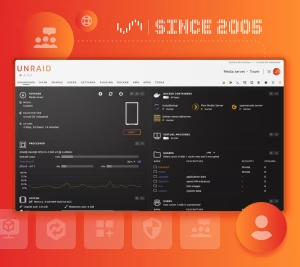
Unraid is a specialized operating system developed by Lime Technology, designed specifically for network-attached storage (NAS), running Docker applications, and managing virtual machines (VMs) all on a single physical piece of hardware.
The biggest difference between Unraid and traditional operating systems lies in how it manages data and hardware, offering maximum freedom to users without being constrained by rigid hardware standards.
2. Outstanding Advantages That Make Unraid a Top Choice
💡 Superior Flexible Storage with the “Mix & Match” Model
This is Unraid’s “ultimate weapon.” With traditional RAID standards (like RAID 5 or RAID 6), you are forced to use hard drives with identical sizes, speeds, and brands. If you want to expand capacity, you have to replace all the drives, causing huge waste.
-
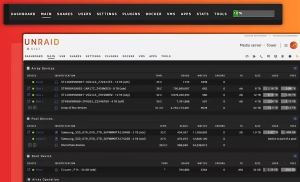
Unraid’s solution: Allows you to combine any hard drives of different sizes, brands, or capacities into a single Storage Pool.
-
Max out old hardware: You can immediately utilize your old 2TB drives combined with newly bought 10TB drives without any obstacles.
-
Safe Parity mechanism: Unraid uses one or more parity drives to protect data. If a storage drive in the array fails, your data remains intact and can be easily recovered.
🐳 Highly Intuitive Docker Management via “Community Apps”
Running containerized services on Unraid is simpler than ever thanks to its extremely friendly graphical management interface.
-
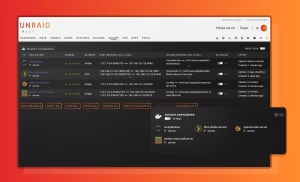
Massive App Store: Through Community Apps (a community-contributed app store), it takes just a few clicks to install hundreds of popular applications like Plex/Jellyfin (media management), Home Assistant (smart home automation), Pi-hole/AdGuard (network-wide ad blocking), Nextcloud, and more.
-
Auto-updates: Pre-configured templates make updating apps smooth without risking your configuration settings.
🖥️ Top-tier Virtualization with GPU Passthrough
Unraid is not just a simple NAS; it is also a powerful virtualization workstation.
-
You can create multiple virtual machines running Windows or Linux simultaneously.
-
GPU Passthrough feature allows you to directly pass a dedicated graphics card (GPU) from the server hardware to a virtual machine. Thanks to this, you can turn a server tucked away in the corner of the room into a high-performance gaming PC or a video editing workstation via Remote Desktop or direct connection.
⚙️ Optimal Power Savings
In a system running 24/7, power consumption is a major concern. Unraid features a very smart Spin Down function: hard drives that are not being accessed automatically go into an idle state (stopping mechanical rotation), significantly reducing power consumption and extending drive lifespan, while Docker services continue to run smoothly on the SSD cache drive.
🌐 Massive Community Support and Rich Resources
Unraid boasts one of the most civilized, friendly, and active self-hosting communities in the world (from Reddit, Discord to official forums). Any issue you encounter, from complex network configurations to hardware optimization, can be found with detailed solutions just minutes after searching.
3. User Experience and Cost
-
Free Trial: Unraid allows users to experience all premium features for 30 days completely free without needing to enter credit card information. This is a huge plus, letting you test hardware compatibility yourself before deciding to invest.
-
Licensing Policy: Unlike the popular monthly subscription model, Unraid uses a lifetime perpetual license purchase model (depending on the maximum number of drives supported by the system), starting at an accessible price point of around $49.
4. Conclusion: Who is Unraid For?
Unraid is truly born for:
-
Tech enthusiasts (homelab, self-hosters) who want to build a central entertainment and secure personal data storage system with their own hands.
-
Anyone who owns multiple hard drives of mixed capacities and wants to reuse them instead of buying new matching sets.
-
Users who want to multitask NAS, Docker, and gaming/rendering VMs on a single device to optimize space and power costs.
General Assessment: While not entirely free open-source software like TrueNAS CORE, Unraid’s license fee is completely worth what it brings: maximum flexibility, hardware savings, a friendly interface, and extremely high stability.
 Web
Web iOS
iOS Android
 Chrome Extension